
Overview
Merchant Messages
Paze® Messaging displays promotional messages (for example, “Save 10% off your order by checking out with Paze®”) at key moments in the shopping and checkout journey. Messages are rendered by Paze when an active offer exists.
Message placement on the Merchant Site
Merchants control placement. You choose where the message container appears while Paze configures message content and when it displays or expires.
Offer messages can be displayed on multiple merchant-controlled surfaces. Integration is consistent across pages, but placement varies by page context.
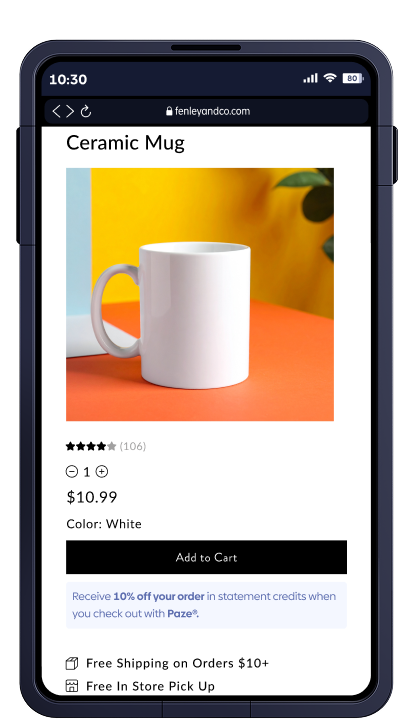
Product Details Page
Messaging placed near the purchase decision aides customers in understanding the value of using Paze before adding an item to their cart.
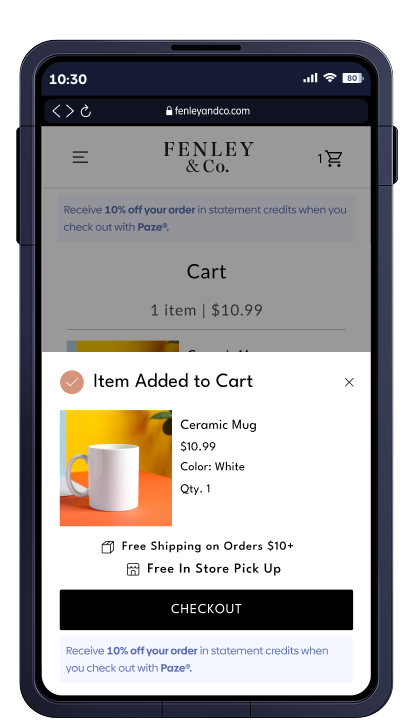
Cart
Messaging reinforces the benefit of choosing Paze before checkout begins.
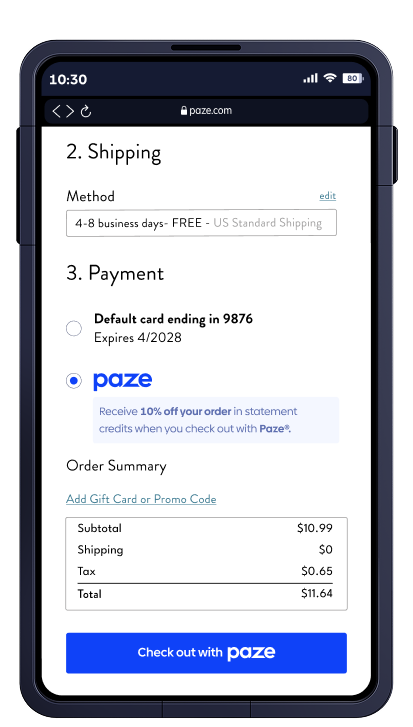
Checkout
Messaging appears near the payment to associate the offer with the payment method and shows the value in selecting Paze.
Messages that Paze surfaces inside the Paze Experience
When enabled, offer messaging also appears inside the Paze checkout experience to reinforce value without interrupting the payment flow.
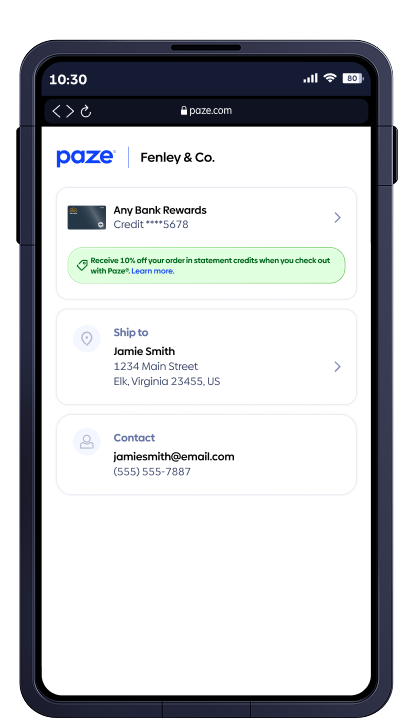
Inside the Paze Wallet
Messaging displayed within the Paze wallet during checkout to highlight active offers.

Updated about 2 months ago