
Placement and Integration Standards
Requirements
PazeSM must be presented as a checkout option on:
- Product display pages
- Basket/cart page
- Side panel
- Order summery page
- Any other page where digital wallets are available
Placement of Paze must be a checkout option on:
- Desktop web,
- Mobile web, and
- Mobile applications, if exist.
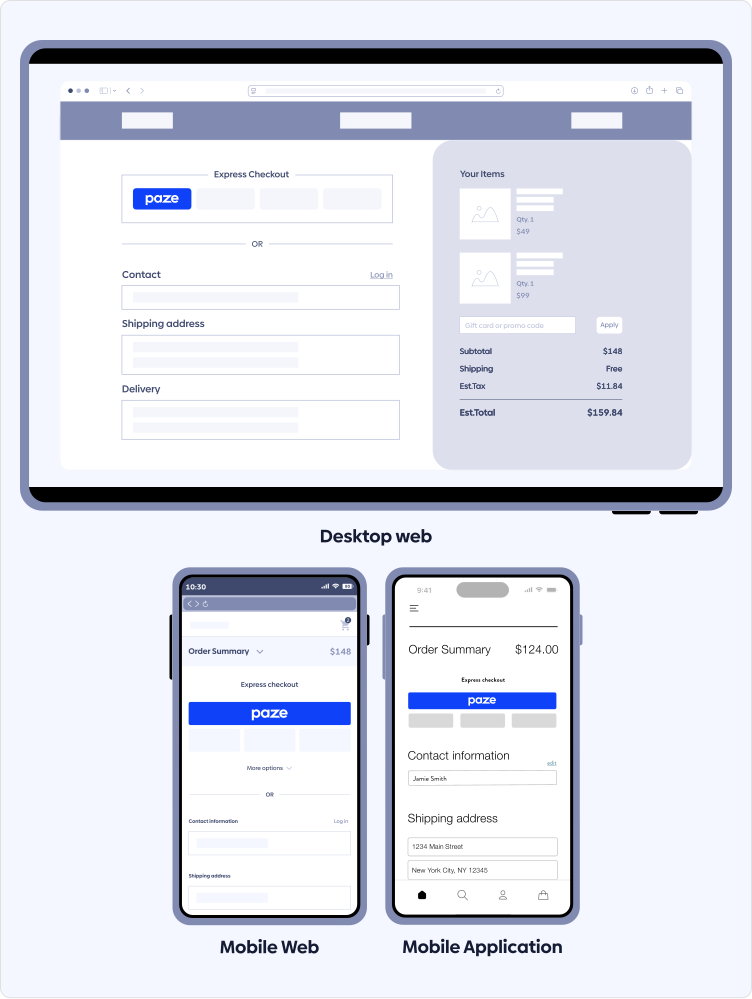
Paze checkout option shall be presented:
Immediately at load, so there is no delay in presentment of Paze.
- In a similar size, prominence and style as other wallet options.
- A button or radio button and not as a link to launch.
In addition:
Paze must exist in all logged in and guest users experiences.
- Merchant must align to the Paze Merchant JavaScript SDK “intent” to checkout flow. The intent field drives the call-to-action language on the Paze button within the Paze interface.
- Merchant should use Review and Pay intent when a consumer is returned to a Merchant order review page for final price.
- Align Paze Merchant JavaScript SDK “shipping preference” to checkout flow (suppress if collected on the Merchant’s page).
- Merchant should provide training to Customer Support teams regarding Paze and updates regularly.
- Merchant should update associated knowledge base and FAQs to incorporate Paze.
Parity Requirements
Present Paze as a checkout option on the following Merchant managed pages, when other digital wallets are presented:
- Product display page
- Basket/cart page
- Side panel
- Order summary page
- Any other pages where digital wallets are available
Best Practices
- Offer PazeSM early in the consumer checkout flow for checkout optimization.
- Utilize the consumer’s information returned from Paze to pre-populate shipping and billing information.
- On product pages, position the Paze button near the primary "Add to Cart" button.
- The Paze button should be visible:
- Without requiring scrolling or additional clicks,
- Not hidden or obscured behind dropdowns,
- Within a collapsible menu or other UI element that make it less visible than equivalent wallet options.
- On the order review page, after a consumer selects Paze and returns to a Merchant order review page, other checkout options should be hidden to simplify consumers’ decision-making process and avoid confusion.
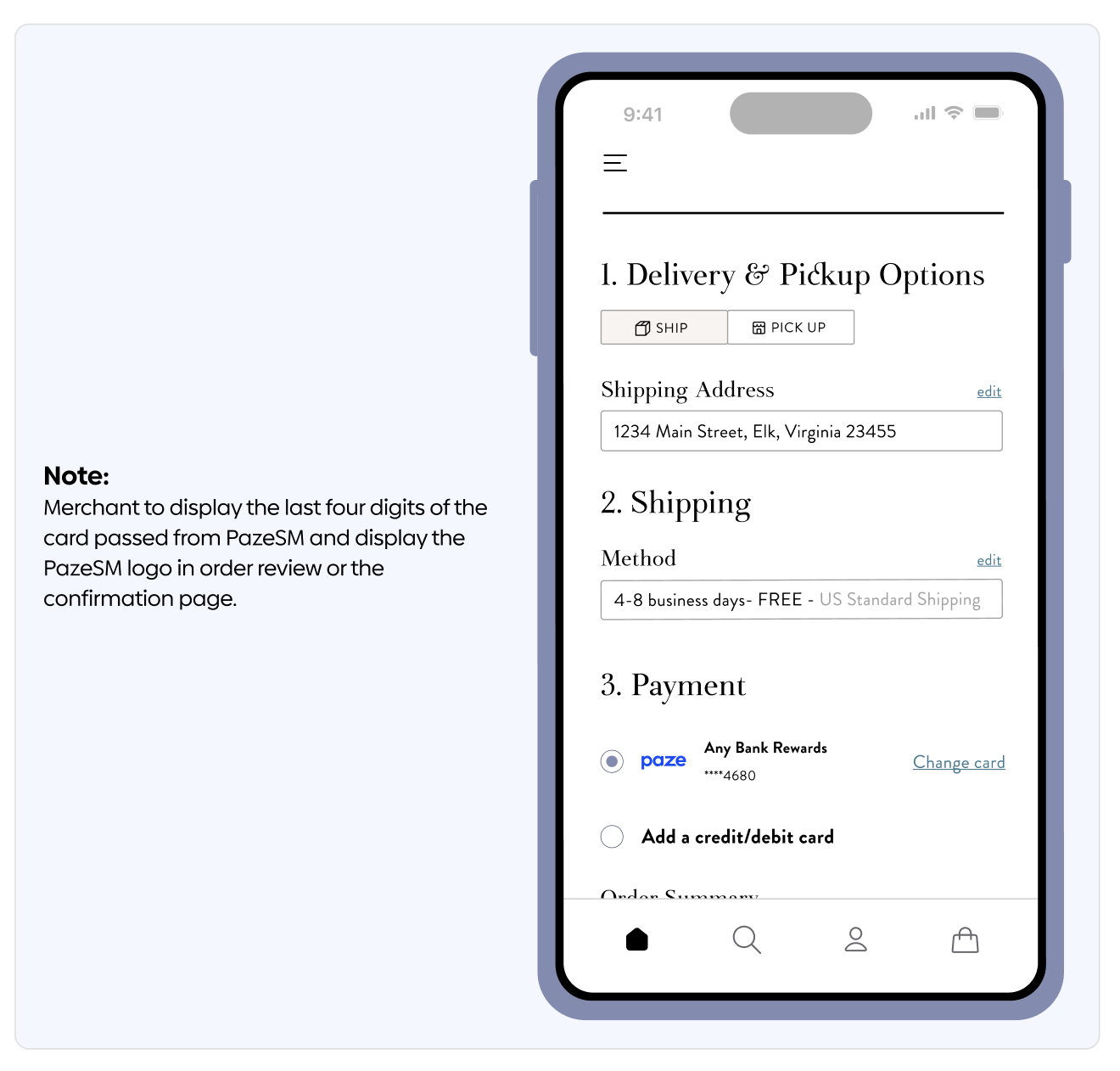
- Display the last four digits of the card passed from Paze and display the Paze logo in the order review or confirmation page.
Updated 3 months ago