
Paze Brand Guidelines
Paze Button
The Paze Service offers logo assets for Merchants to create their own button to match the look and feel of their website/app. Your Paze Implementation Manager can provide the appropriate Paze logo asset(s). The following requirements apply to the use of the Paze logo for a button. The Paze button references an interactive component the consumer can click on to initiate Paze.
Why use it:
The following requirements apply to a Paze button:
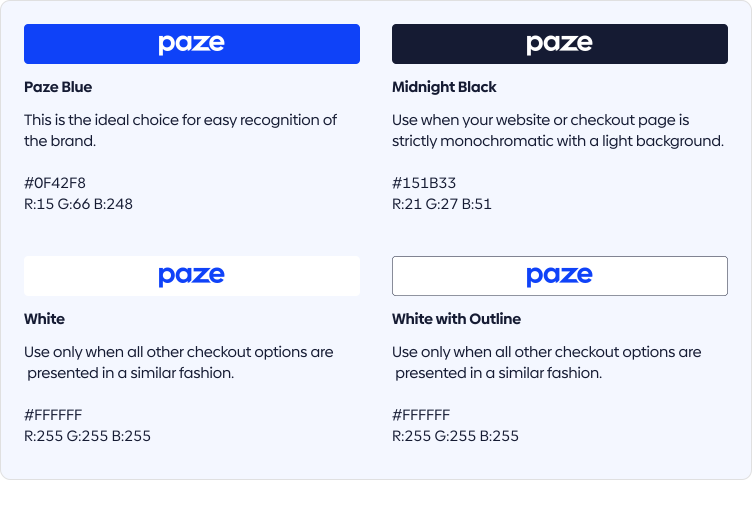
- Use of a Paze Blue button, where possible.
- The button may have square or rounded corners to fit within the user interface (UI) of the Merchant checkout experience.
- As a button, a “SM” (service mark) symbol should NOT be present.
- Button widths are variable based on breakpoints and Merchant UI.
- The clear space between the Paze logo and the outside of the button should not be less than 1/3 the logo height.
Customizable corner radius
Each colorway of the Paze button supports corner radius customization from rectangle to pill. Choose the corner radius that best fits your user experience.

Paze Logo
Paze offers logo assets for Merchants to present Paze as a radio button or when presented as an available checkout option. Your Paze Implementation Manager can provide the appropriate Paze logo asset(s).
Note
The following requirements apply to the use of Paze logo:
- Whenever possible, the Paze Blue logo is ideal for brand recognition on the checkout flow and associated mentions.
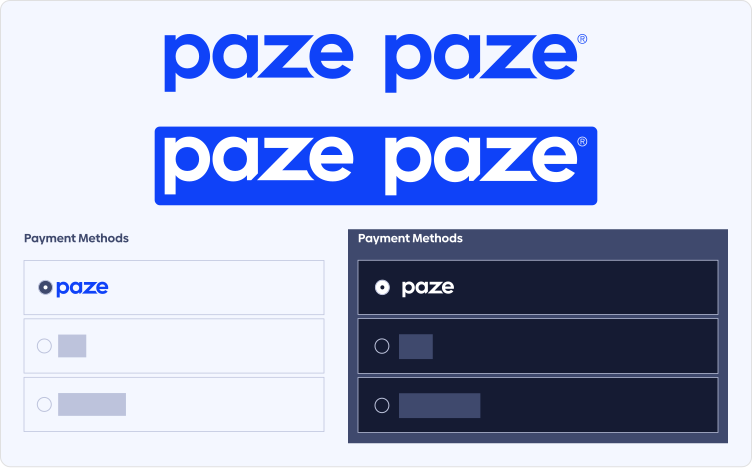
- When it does not appear on a button, the Paze logo requires the use of “SM” (service mark) symbol.
Paze Wordmark
This is the ideal choice when Paze appears in a list of checkout options, such as radio buttons or as an available checkout selection.
Paze Card Mark
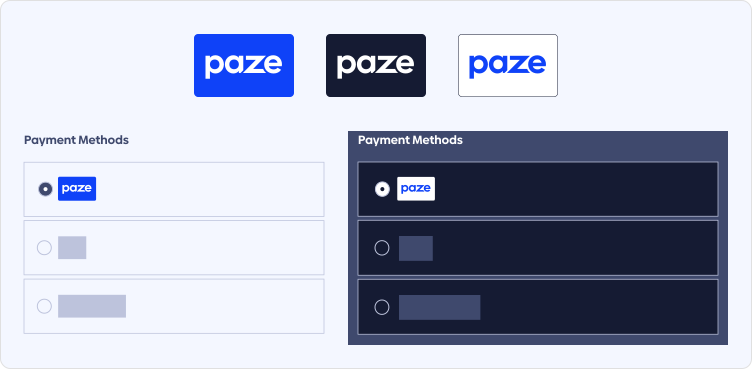
Use the Paze Mark as an alternate option when Paze is presented in a list of checkout options or when presented for awareness in a similar style. The Paze Mark may be used in conjunction with a radio button only when other options are displayed in the same manner.
Paze Messaging
Language describing or surrounding Paze should adhere to the brand tonality and support the appropriate value propositions. This includes any messaging for Paze throughout the Merchant website, any reference to Paze as an available checkout option and any information given in customer support FAQs or emails to customers.
All marketing campaigns referencing Paze or the Issuers participating in Paze are subject to approval; for questions and assistance submitting materials for review, please consult your Paze Implementation Manager.
Approved Messaging for Paze:
Paze button call to action options:
- [Paze Logo] checkout
- Check out with [Paze Logo]
- Donate with [Paze Logo]

Messaging for providing more information about Paze to the consumer:
- Paze is an online checkout experience that makes it easy for you to make purchases. Offered by participating banks and credit unions.
- A convenient way to check out online from participating bank or credit union.
- Paze is an online checkout solution offered by banks and credit unions. With Paze, customers can check out online without having to enter their actual card numbers.
Unapproved Messaging for Paze:
Messaging that may NOT be referenced related to Paze:
- The use of the word Pay. This includes the following:
- Pay with Paze, Paze pay, or any other combination of the term “pay” adjacent to the Paze mark.
- The use of “pay” and Paze must be kept separate when speaking directly about the Paze product.
- Use of Paze account (Paze is linked to eligible credit cards, it is not its own separate account).
- No additional value propositions or reasons to believe beyond what is provided in the Approved section above or otherwise by Early Warning Services LLC.
Updated 3 months ago